
Exploring and Selecting Descriptors
 | Action-oriented Approach|Plurilingualism|Tech-mediated
The descriptors for communicative language activities and strategies are organised under four modes of language use: reception; production, interaction and mediation. Look at these overview diagrams to get an idea and see which of the various sub-categories might be relevant to the needs of your particular learners. Jot down the titles of about five or six categories that you think are very relevant – or interesting. Pick one from each of the four modes – and then select another couple. We will go deeper into those categories afterwards.
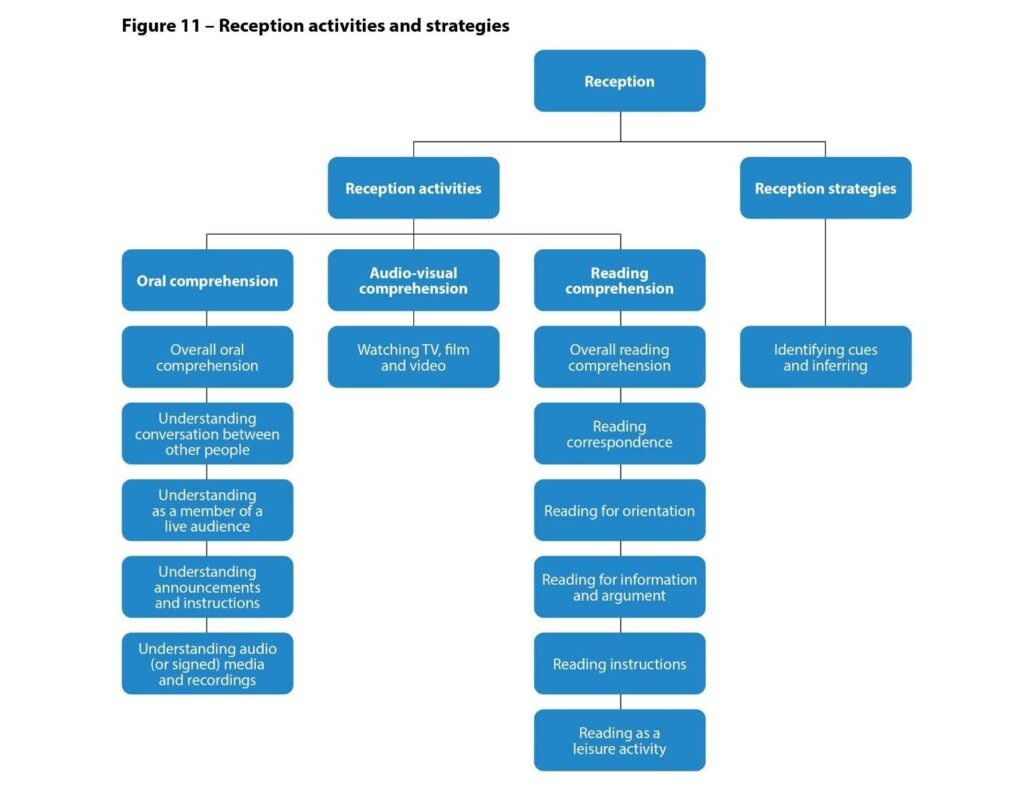
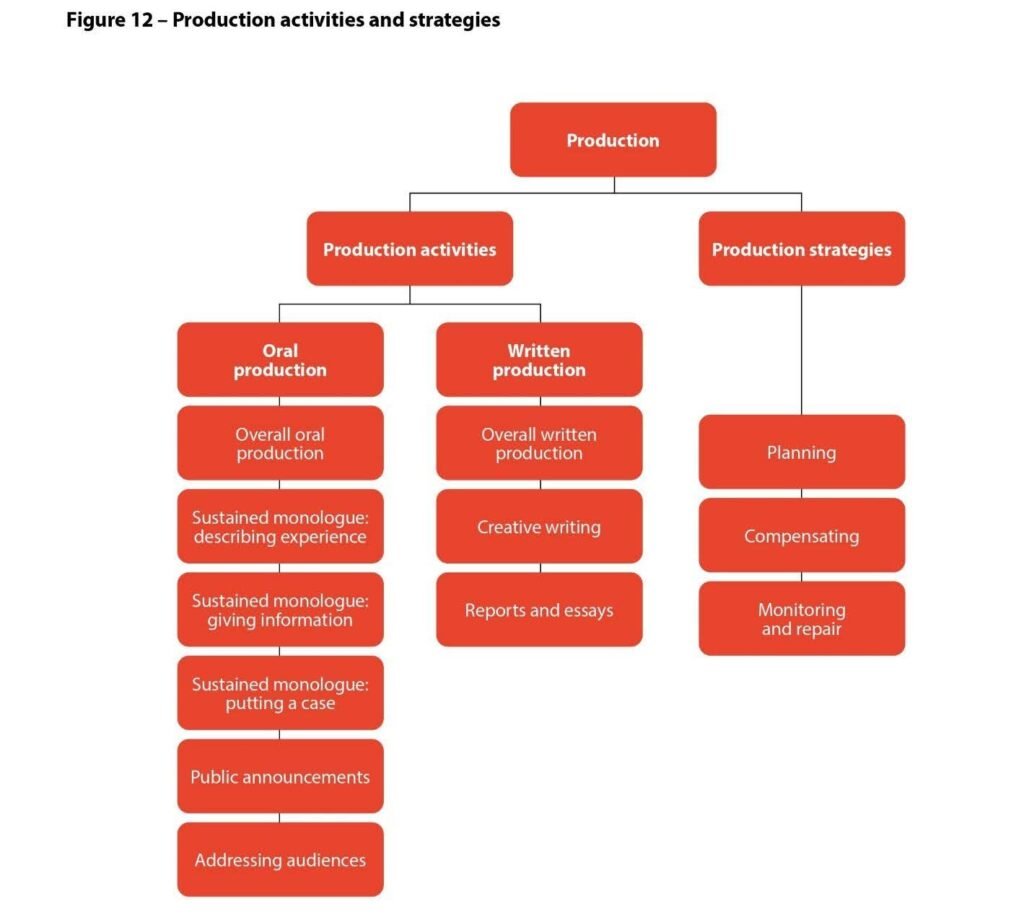
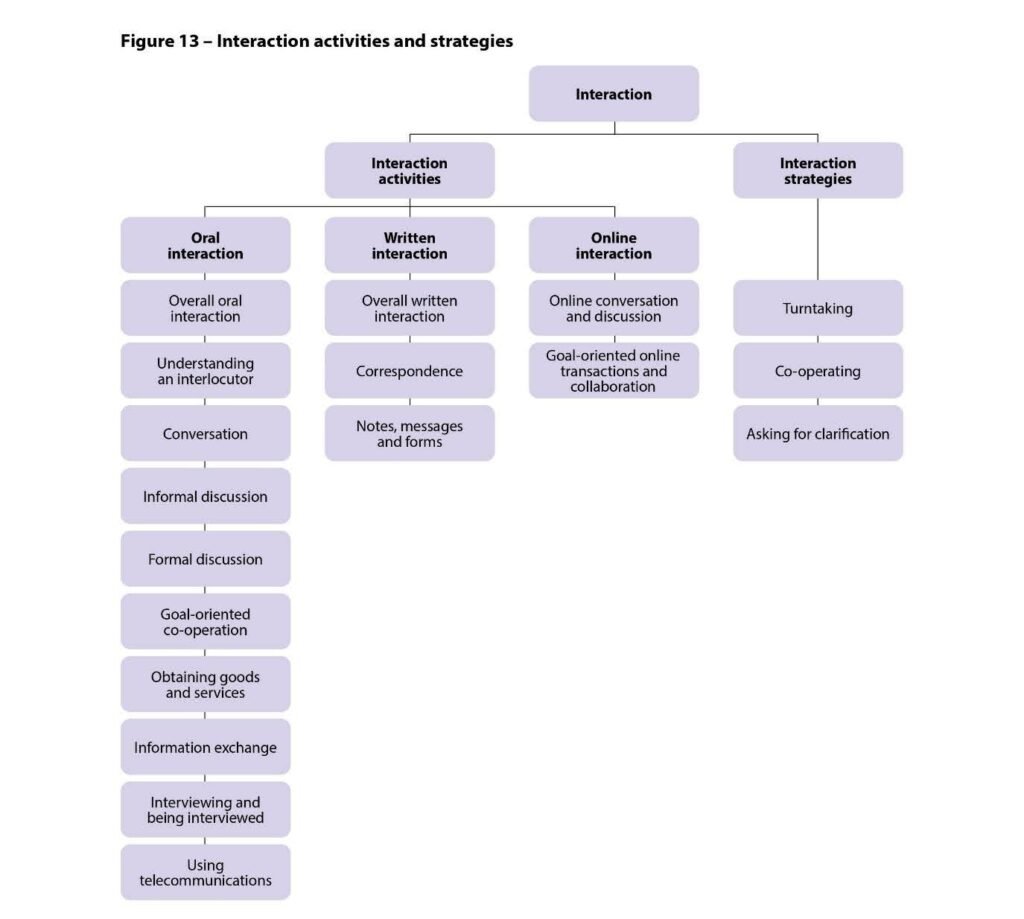
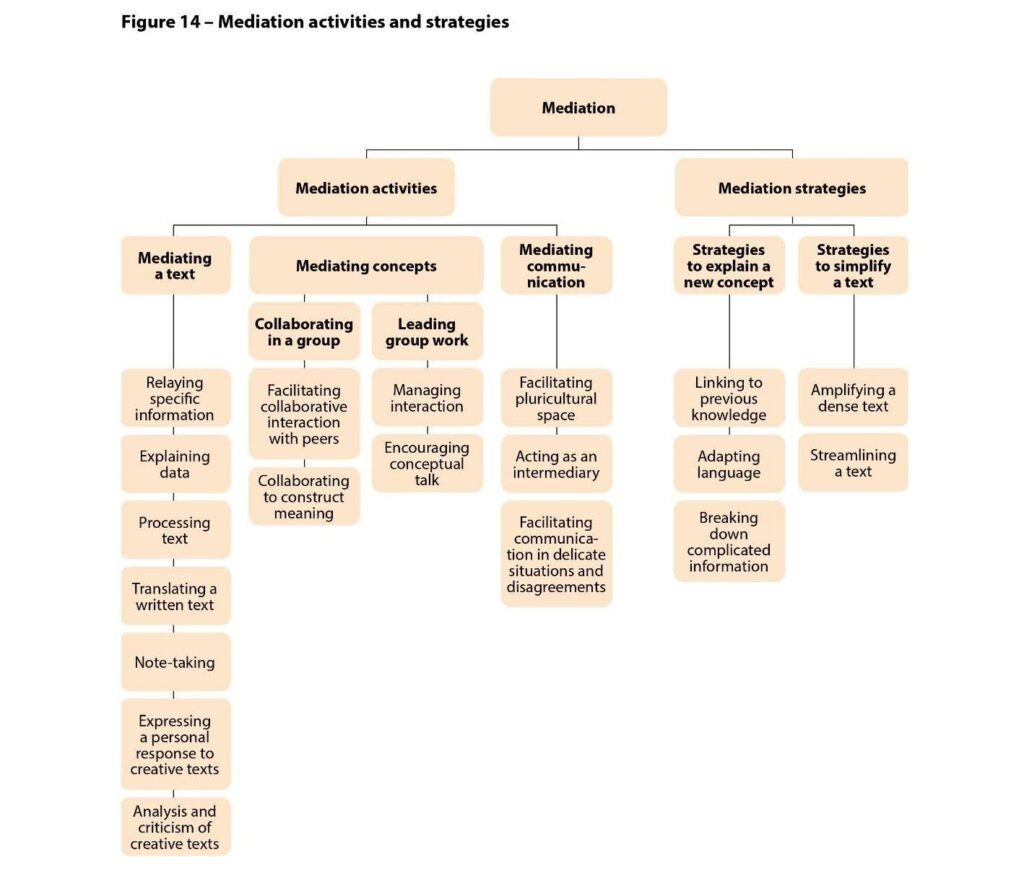
Now we are going to look at the Excel tool on the Council of Europe’s website in order to select just those 5 or 6 categories and just the level(s) relevant to your class. First go to the CEFR website: www.coe.int/lang-cefr and look on the right for CEFR Descriptors (Searchable).
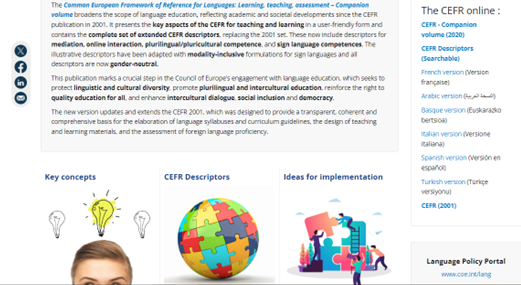
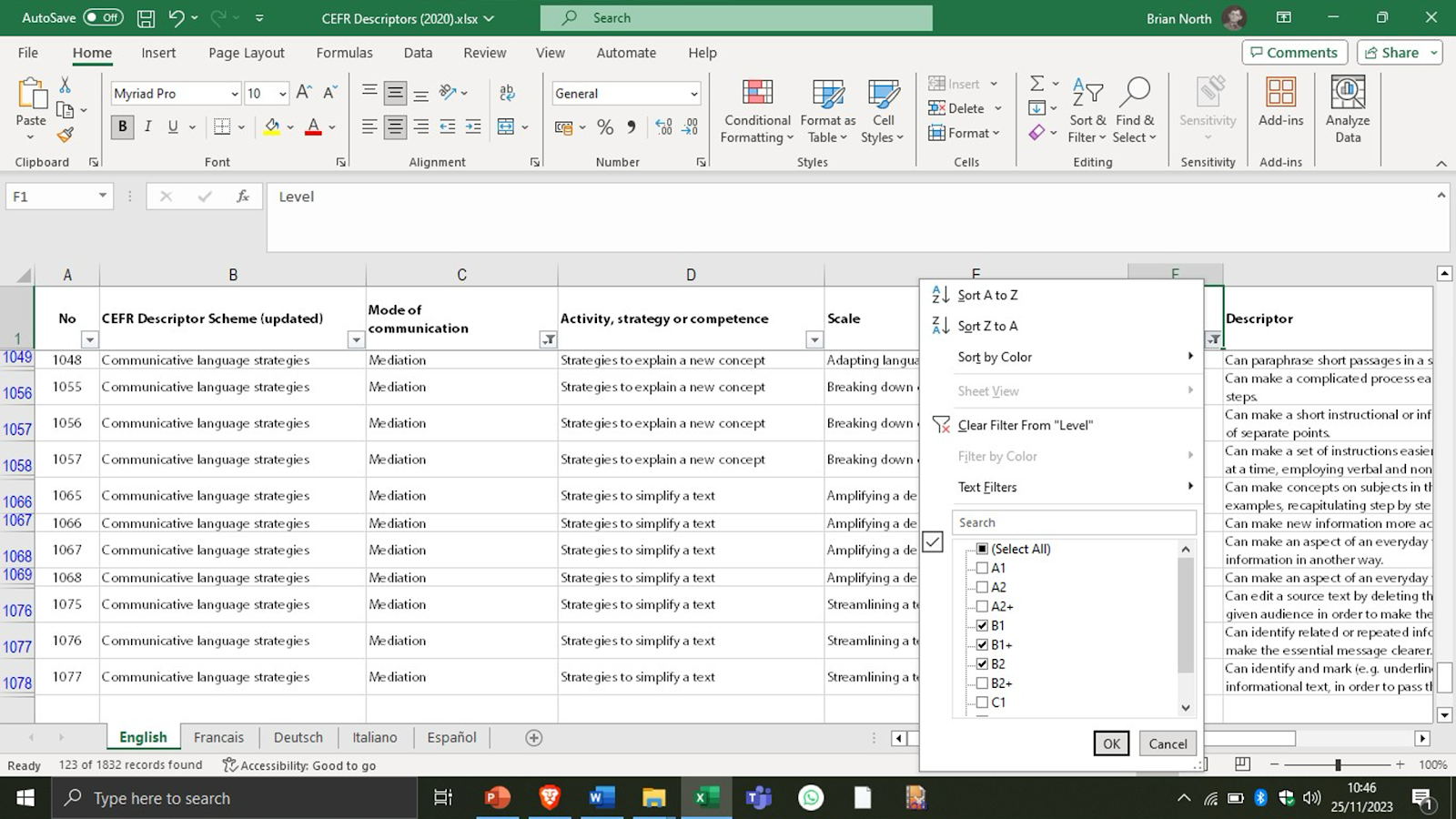
Now just look at these screenshots that show you how to reduce the categories you want and the level(s) you want. This example is reducing down to descriptors for Mediation for Levels B1 to B2.
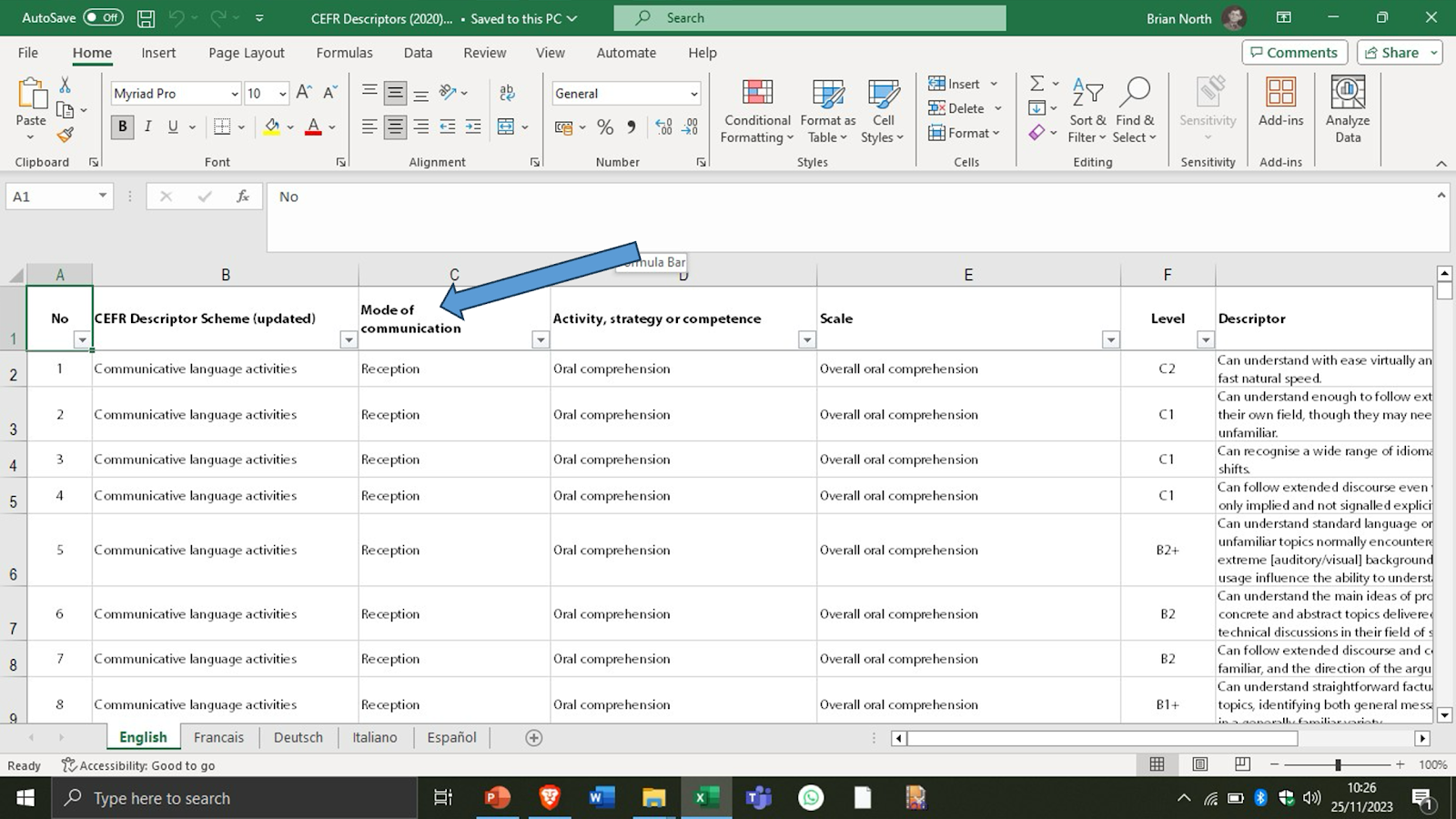
First select the mode of communication:
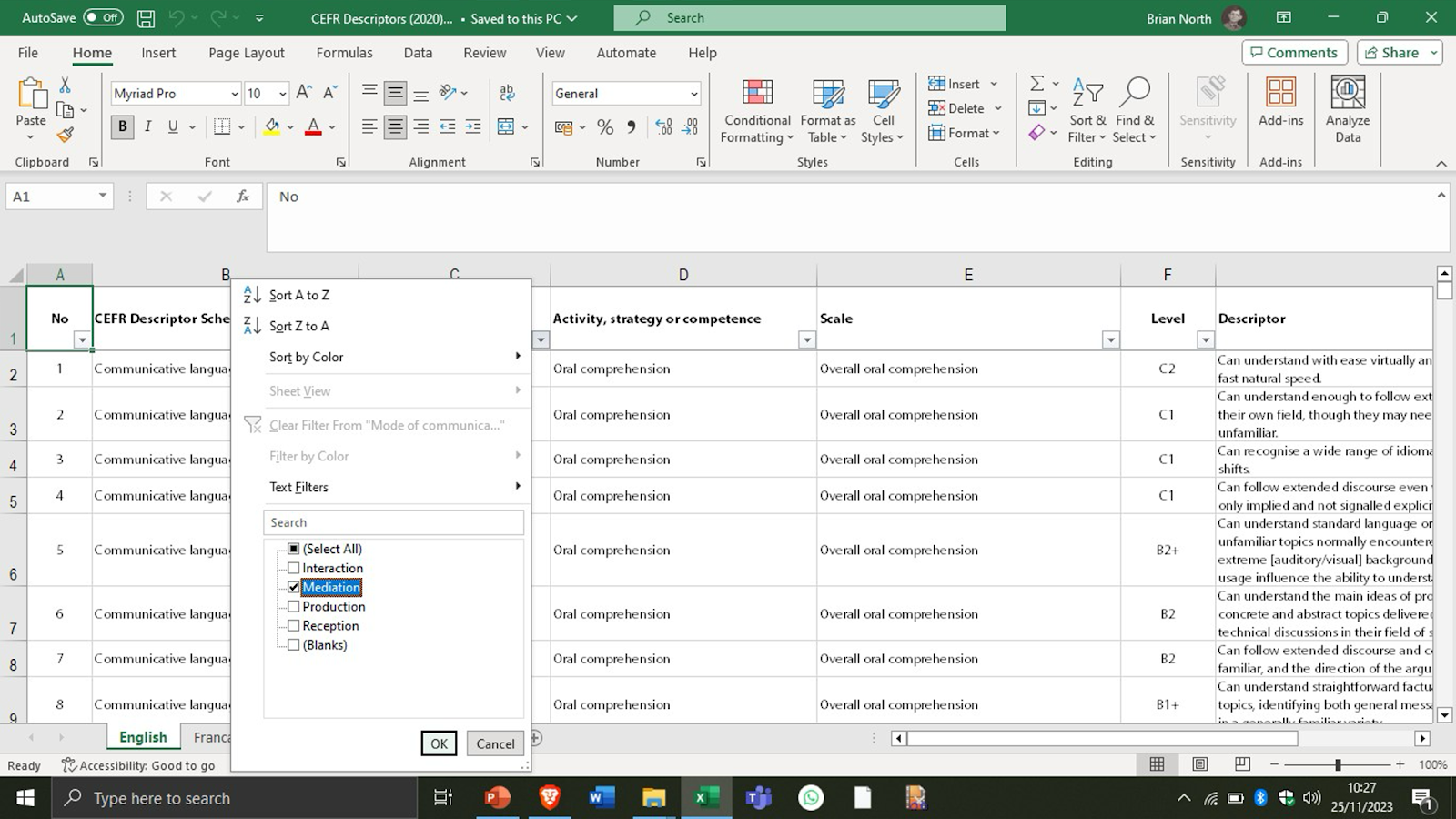
Now having reduced to only mediation descriptors, we reduce the levels to just B1, B1+, and B2:
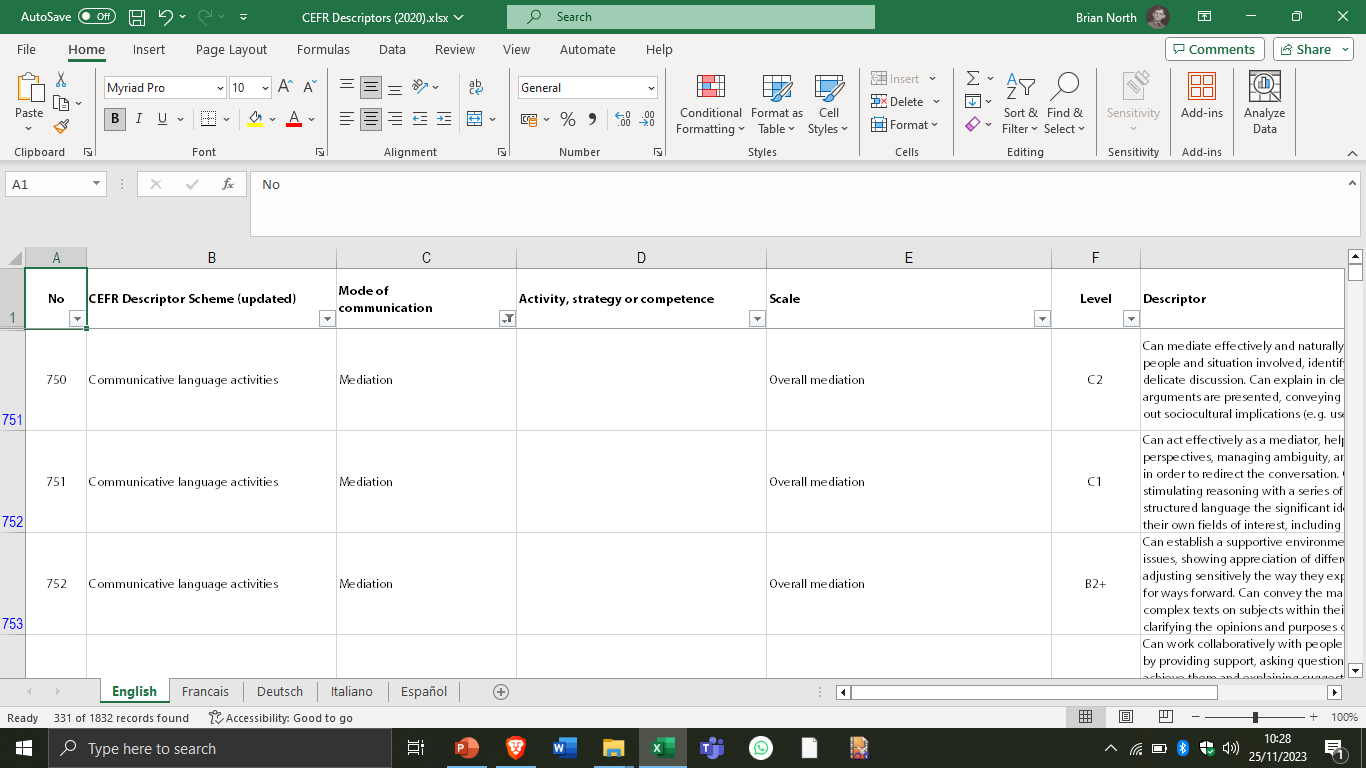
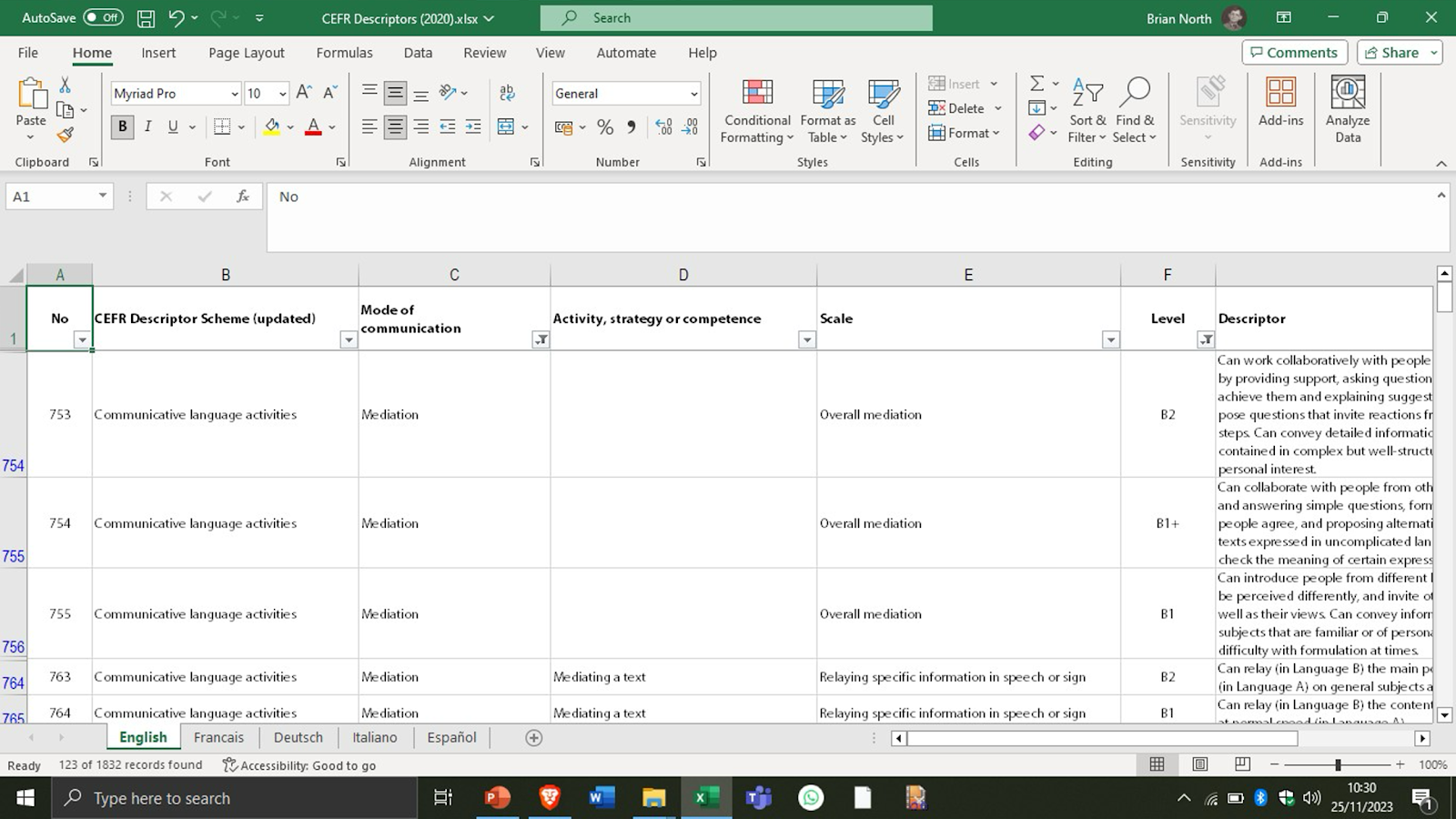
This is what you will get:
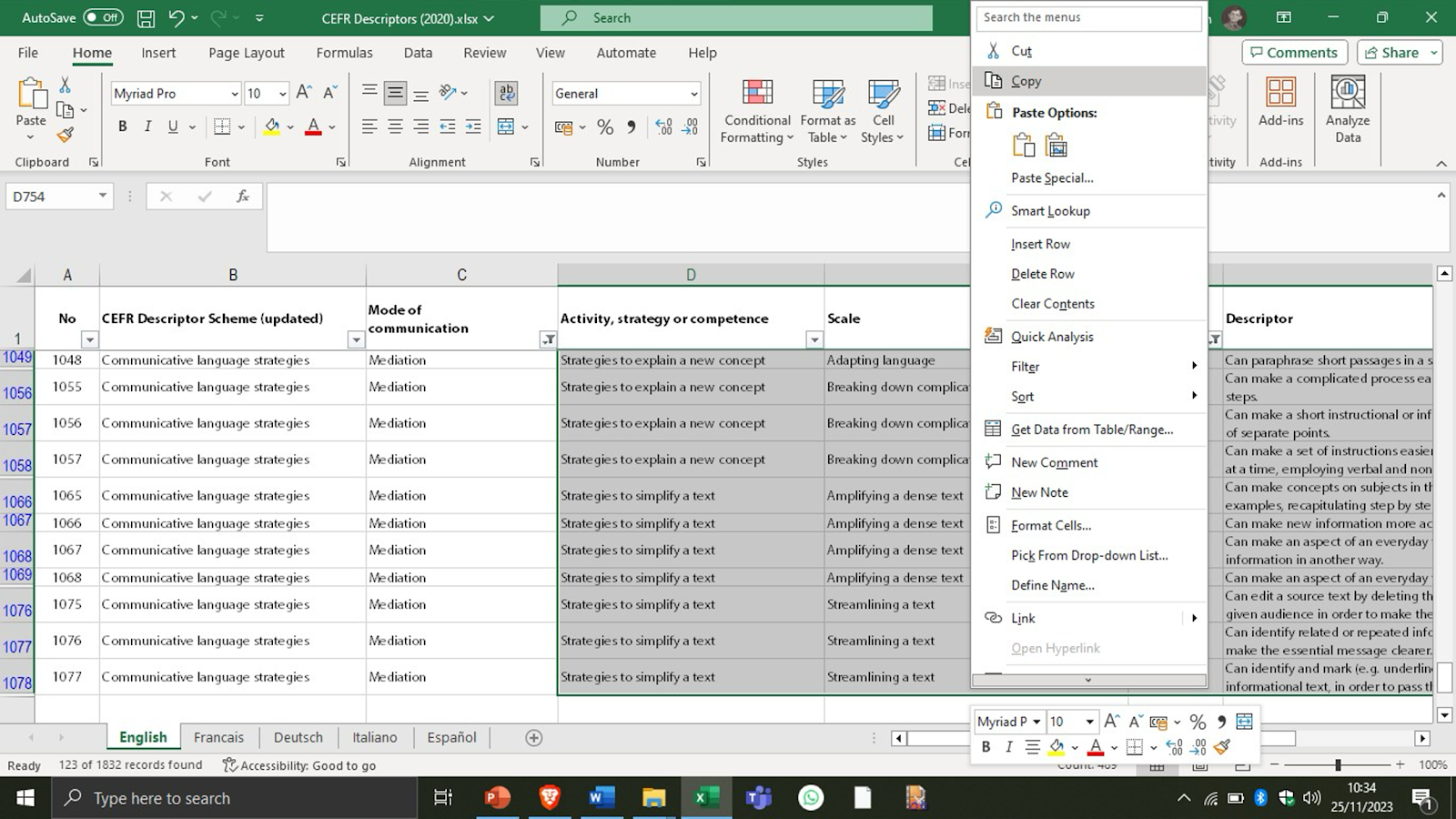
Finally, you may want to save your own descriptor selection on a word file so that you can have it handy for future use. In this case, highlight the descriptors with the mouse and copy them into a Word file:
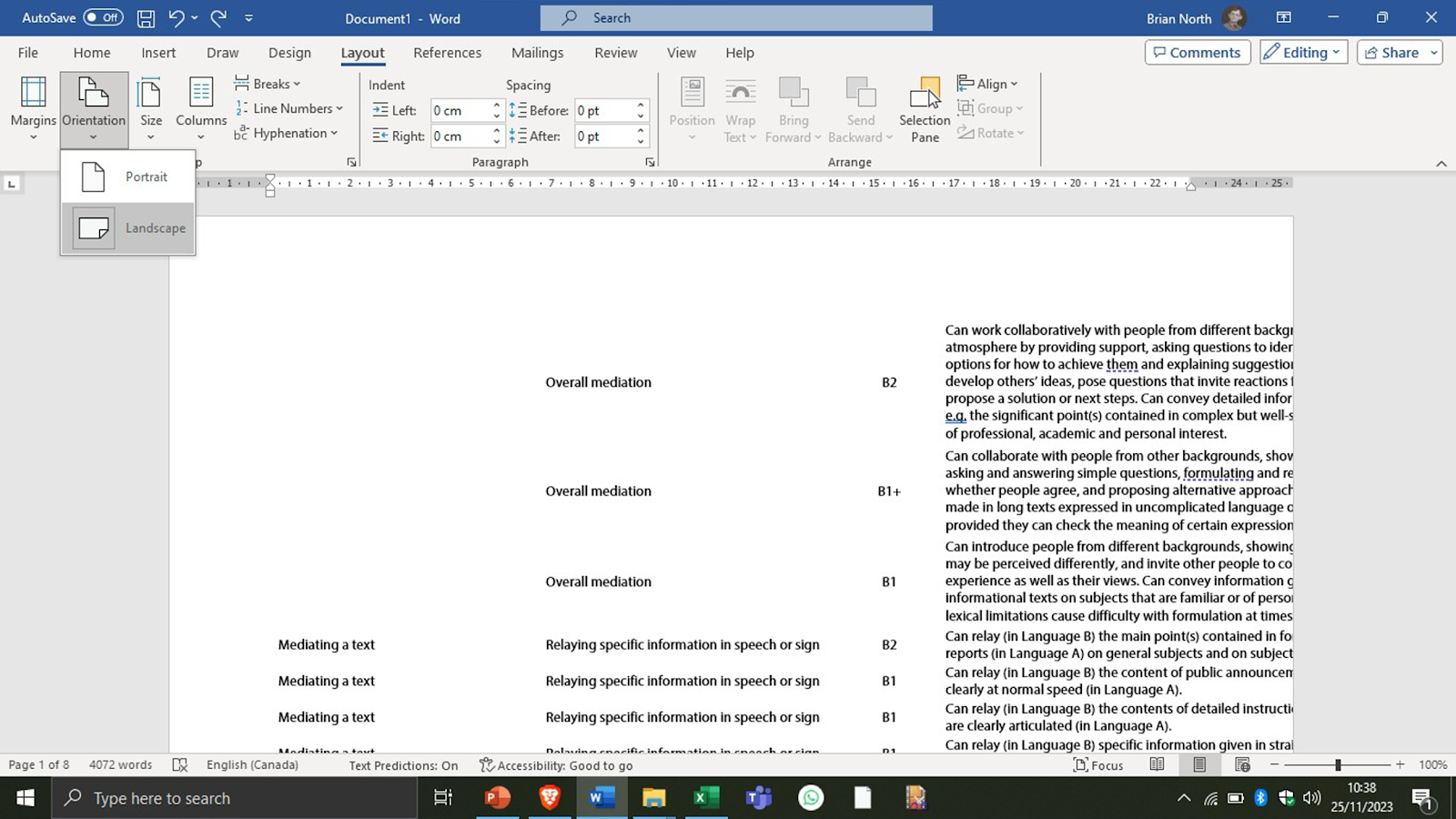
Then, in Word, switch to Landscape and reduce the margins so the descriptors fit nicely:
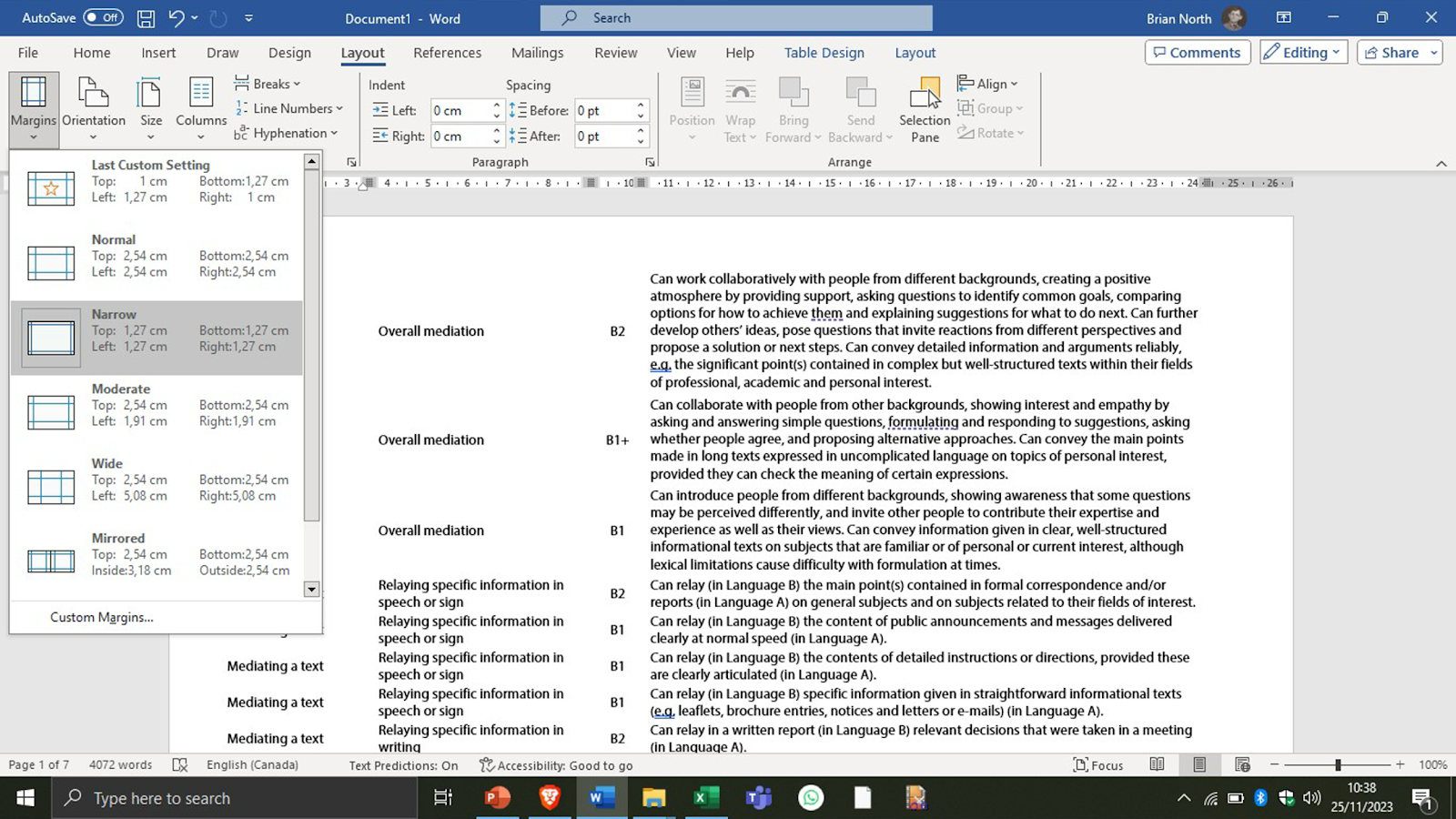
Remind yourself of the 5 or 6 categories that interested you, decide what level(s) you want, and capture the relevant descriptors into a Word file. Instead of selecting all the Mediation scale, for example, just take the subcategory/ies you want.
Hint 1: You may find it easier to reduce first to the relevant level(s). as you want to get descriptors for several categories.
Hint 2: If you find you don’t like Excel, you may prefer a similar online version provided by Giacomo Follinazzo at https://rexquist.com/cefr/ (presently only descriptors in English are available in this tool)
Communicative Language Competences—and Plurilingual/Pluricultural Competence 🔠🌏
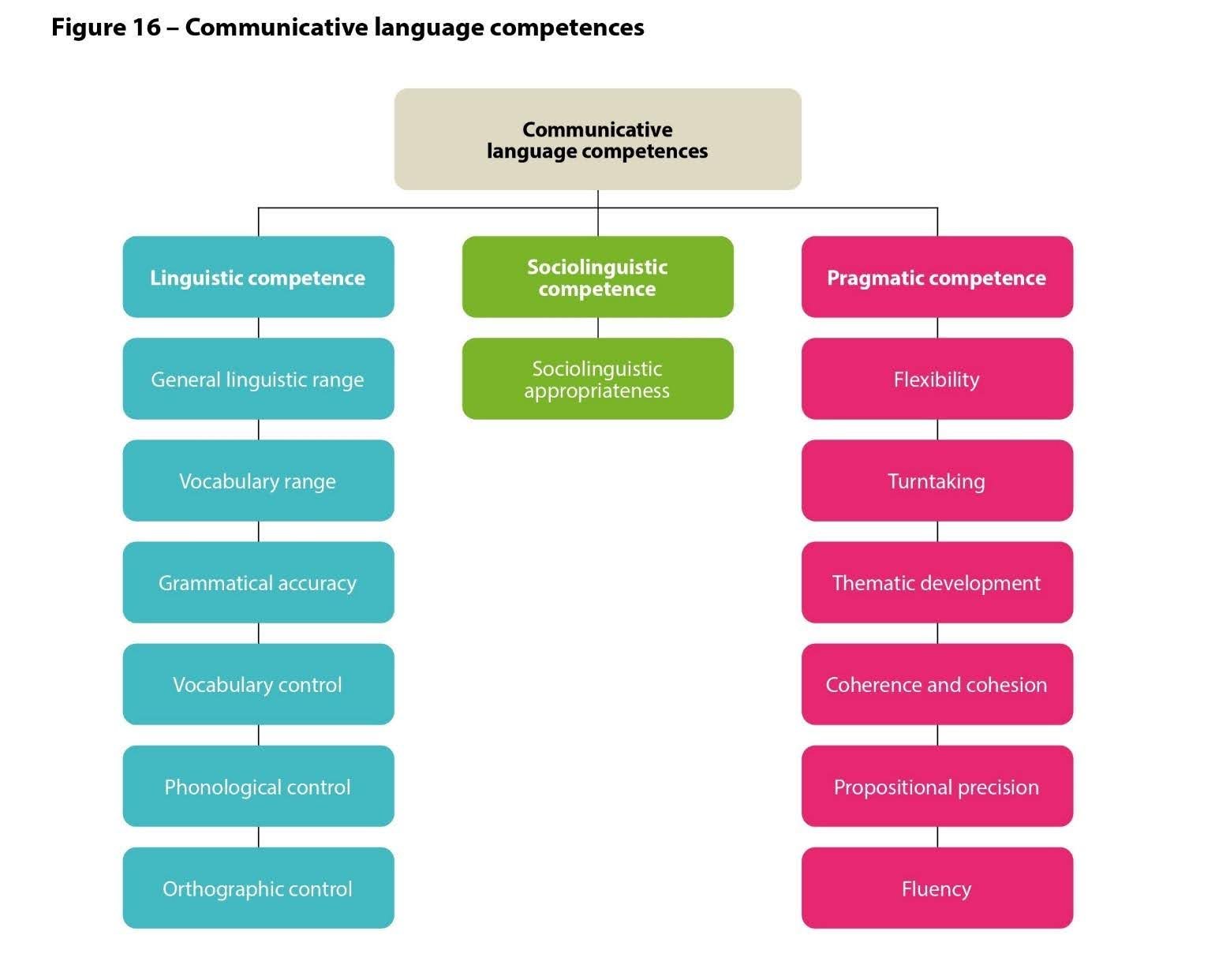
Look now at the overview of the descriptors for communicative language competences which are organized under linguistic competence, sociolinguistic competence and pragmatic competence.
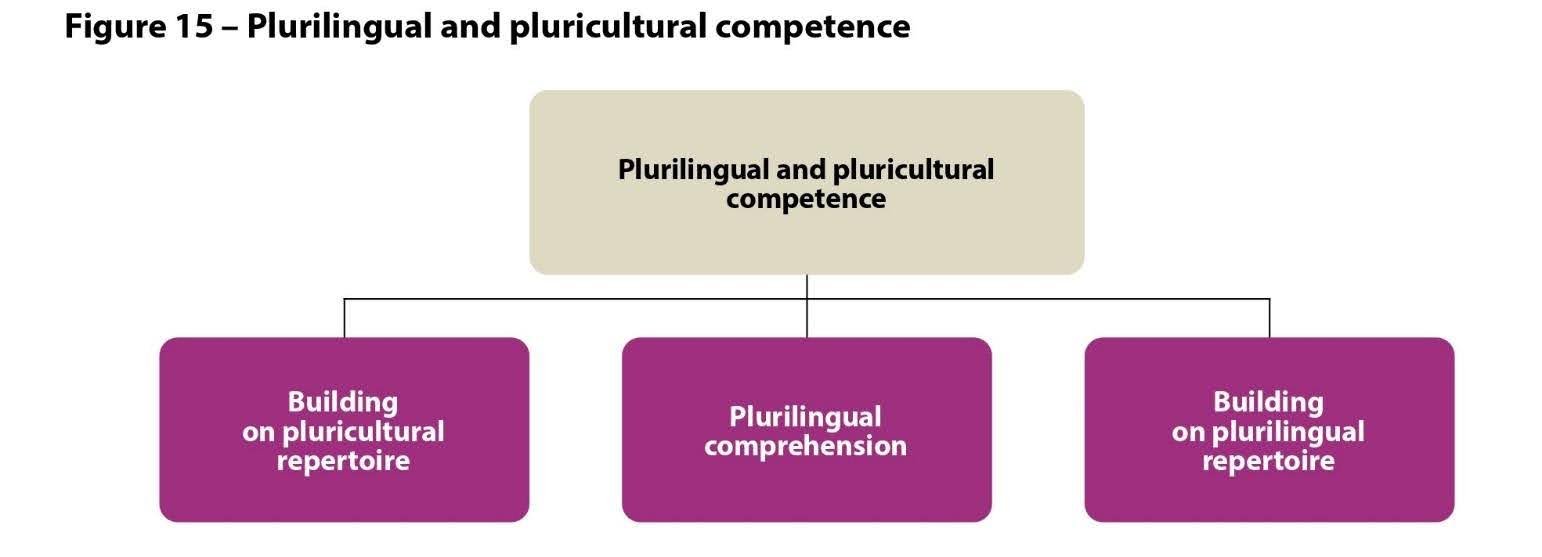
And last but not least, let’s look at the three categories for which descriptors are provided for plurilingual and pluricultural competence
Choose four or five categories from communicative language competences and plurilingual and pluricultural competence that you think are particularly relevant to your learners.
Repeat the exercise you did with communicative language activities by selecting with the Excel or online tool some competence descriptors to add to your Word file.
Selecting Descriptors for a Scenario ✅
Now that you are familiar with the tool for capturing the descriptors you want, let’s look at selecting descriptors as language objectives, in this case for action-oriented scenarios.
Below are two scenario summaries from LINCDIRE (LINguistic and Cultural DIversity REdiscovered project: lincdireproject.org).
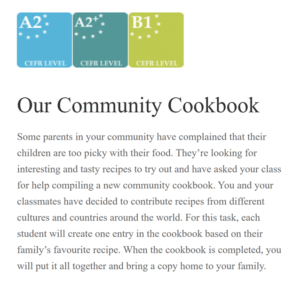
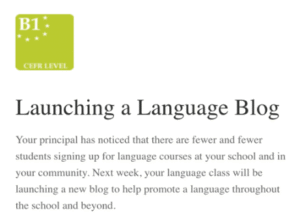
Read one of the summaries. As you see the level, or range of levels is indicated in each case.
Use the Excel or online tool to select about 15 descriptors that reflect the activities involved in the scenario. Ideally, select 10 from communicative language activities and strategies (Reception, production, interaction, and mediation) plus 5 from communicative language competences and plurilingual/pluricultural competence.
You may want to adapt the descriptors slightly afterwards.
When you have done this, if you have time, repeat the process with the other scenario summary.
AALE Toolkit Homepage | Action-oriented Approach | Plurilingualism | Tech-mediated | AALE Infosheets Exploration